

Apple Watch is now eleven generations in, and packed with useful features that are easy to miss at first glance. To help you get more out of your device, we’ve rounded up 15 practical tips you might not have discovered yet, including a few that long-time users often overlook.


Bounce Between Two Apps
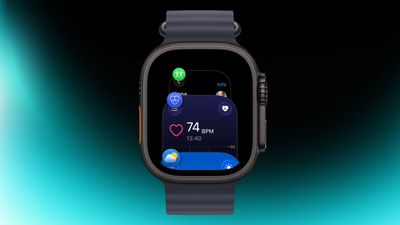
On your Apple Watch, double-press the Digital Crown to see a deck of all currently open apps, and turn it to scroll through them. From this view, you can jump back to the last app you were using. Simply tap on an app screen to switch to

We don’t just report the news, we deliver it through the voices of multiple expert staff writers, each selected to broaden our scope and deepen our storytelling.
